 Loquor AAC
Progressive Vocabulary
A structured 6-level vocabulary system that grows with the communicator. Words unlock through genuine use, positions never move, and each level builds naturally on the one before.
The Core Principle
Use words to unlock more words. Students start at Level 1 with a small set of essential words. As they demonstrate consistent use, the system tracks progress and unlocks the next level without moving any existing words.
Motor Memory Protection
Words never change position once introduced. A symbol at row 2, column 3 at Level 1 stays there through Level 6.
Per-Level Evaluation
Only words introduced at the current level count toward advancement. Previously mastered words do not inflate progress.
Usage-Driven Advancement
Words become mastered only after being tapped the required number of times. The system measures genuine use, not just exposure.
Ghost Slots
Locked words render as non-interactive ghost cells - visible but not tappable. Learners see what is coming without being overwhelmed.
Level System
Six Levels of Growth
Each level has its own threshold and mastery requirement. Thresholds decrease at higher levels because the word pools grow larger.
Level 1
Essential power words
80%
mastery threshold
3
taps to master
Level 2
Core communication starter
75%
mastery threshold
3
taps to master
Level 3
Expanded core + basics
70%
mastery threshold
2
taps to master
Level 4
Full core + people vocabulary
65%
mastery threshold
2
taps to master
Level 5
Complete system - mastery ceiling
-
mastery threshold
-
mastery ceiling
Level 6
Expert vocabulary - manual caregiver unlock
-
mastery threshold
-
manual unlock
Level 5 is the automatic advancement ceiling, where all words are visible. Level 6 is not earned through usage; it is unlocked manually by a caregiver in admin settings.
Readiness Feedback
The Floating Readiness Button
A floating action button on the main screen gives the communicator live progress feedback. Its colour and badge update automatically as words are used. Tapping it opens the Readiness Check Modal with full stats.
In Progress
Progress below 75% - the FAB shows the current completion percentage in blue.
Almost There
Progress above 75% but not yet ready - the FAB turns orange to signal that the user is close.
Ready!
All required words are mastered - the FAB turns green and can pulse to invite advancement.
Level-Up Flow
Readiness Check Modal
When the user taps the FAB, the Readiness Check Modal shows a detailed breakdown of progress toward the next level.
Progress circle
Shows percentage toward the next level
Status title
Keep Going, Making Progress, Almost There, or You're Ready
Stats row
Words used, words mastered, and total taps
Practice recommendations
Up to 12 words that still need more taps
Unlock button
Appears only when the threshold is met
Core-Fringe Mode
Grid-Size Independent Progression
In Core-Fringe mode, progression is scoped to the symbols placed on the active grid layout. Each grid size has its own pool, so switching grid sizes switches the progression pool independently.
| Grid Size | Total Concepts | Level 6 Concepts |
|---|---|---|
| 6 col | 244 | 6 |
| 7 col | 391 | 27 |
| 8 col | 506 | 52 |
| 9 col | 671 | 77 |
| 10 col | 720 | 79 |
| 11 col | 749 | 80 |
| 12 col | 840 | 86 |
Admin Controls
Caregiver Configuration
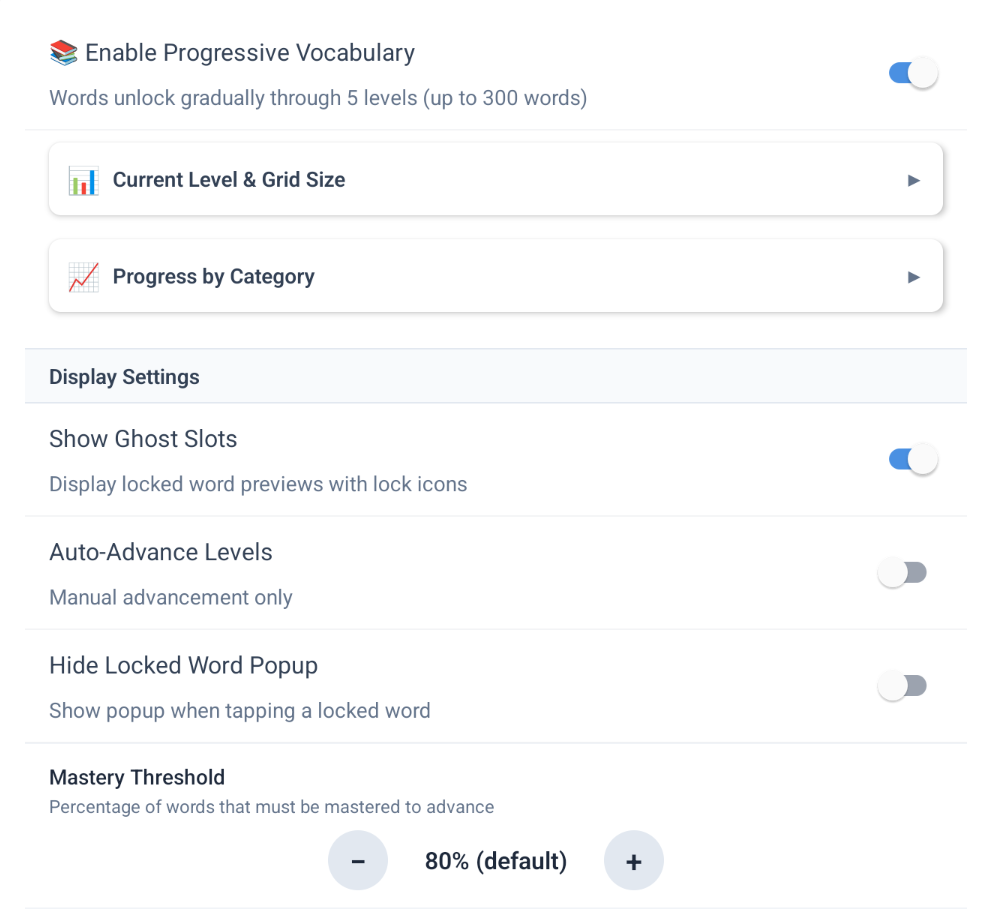
All progression settings live in the Admin screen under Language -> Progressive Vocabulary. Each setting is per-user, so different communicators can have different mastery requirements.
Enable Progression
Toggle the entire system on or off. When off, all symbols are visible.
Show Ghost Slots
Display locked word positions as ghosted previews with lock icons.
Mastery Threshold
Adjust the percentage of words that must be mastered (50-100% in 5% steps).
Min Uses Per Word
Adjust how many times each word must be tapped to count as mastered (1-10).
Expert Vocabulary
Unlocks Level 6 words. Only appears at Level 5 and above, and remains a manual caregiver decision.
Reset Progression
Resets all words back to Level 1 and requires confirmation.
Word Finder Integration
Locked Words Are Clearly Marked
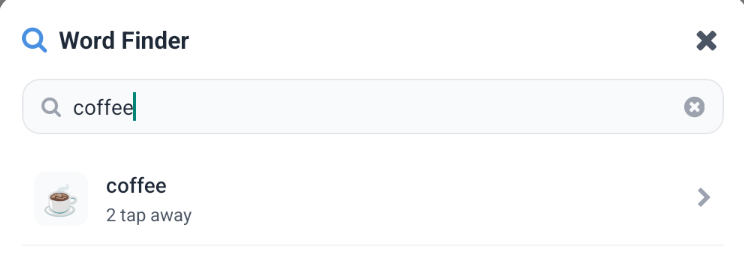
Word Finder searches the entire vocabulary but shows locked words as unavailable, each labelled with 'Available at Level X'. Tapping a locked result does nothing. Once the user advances, the same result becomes selectable.
- Search results are sorted with unlocked words first
- Locked results show the required level, not just a padlock
- Step-by-step guidance cannot activate a locked cell
- Updates instantly when a new level is unlocked
Help Shape Loquor AAC
Download Loquor AAC and give every communicator the vocabulary they deserve.
Try Loquor AAC