 Loquor AAC
Powerful Features, Simple Experience
Loquor AAC brings together powerful communication tools and an intuitive interface that anyone can learn. Explore everything the app has to offer.
Core Communication
Communication Tools
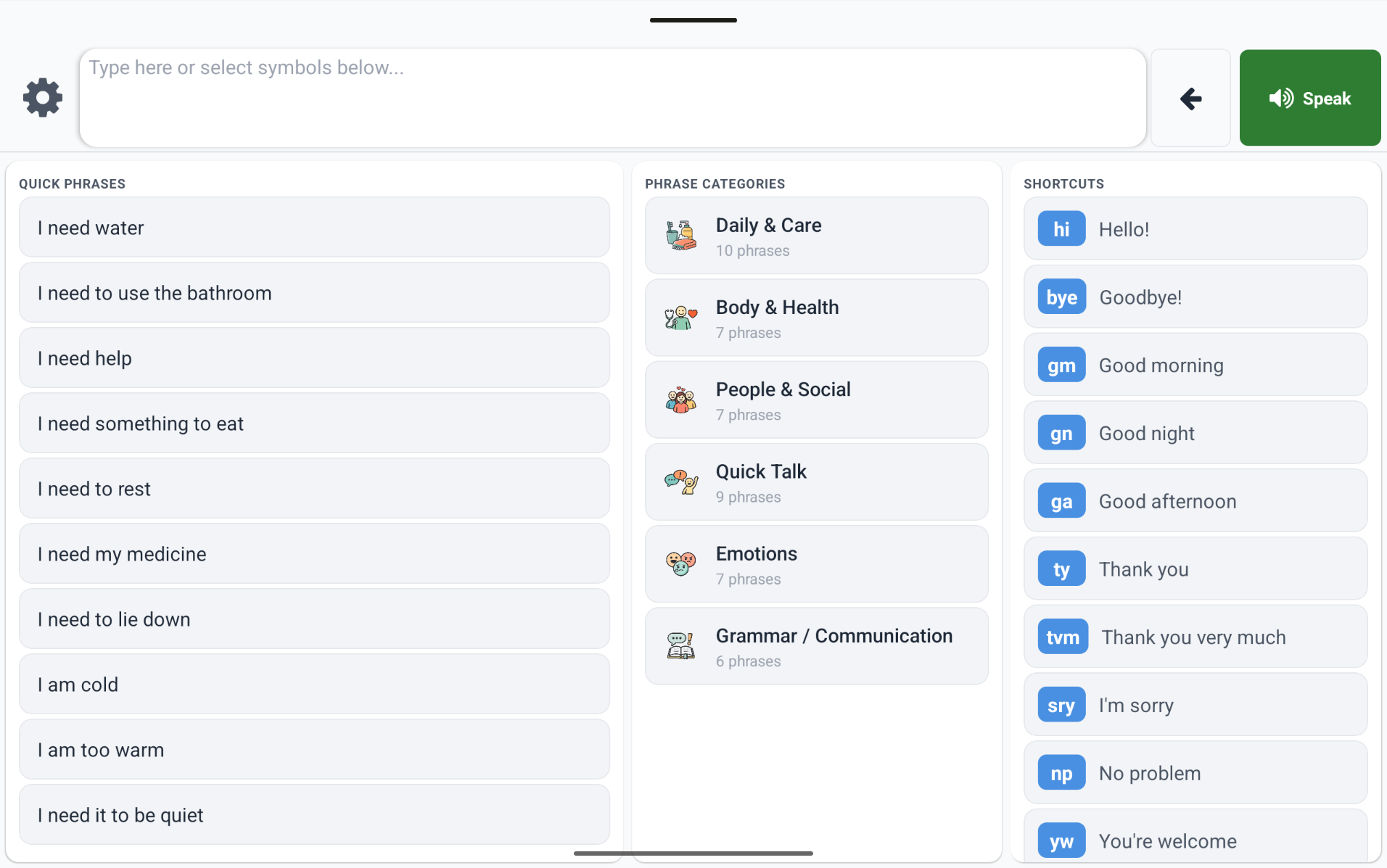
Multiple ways to express yourself - from tapping symbols to typing text, all in one unified interface.
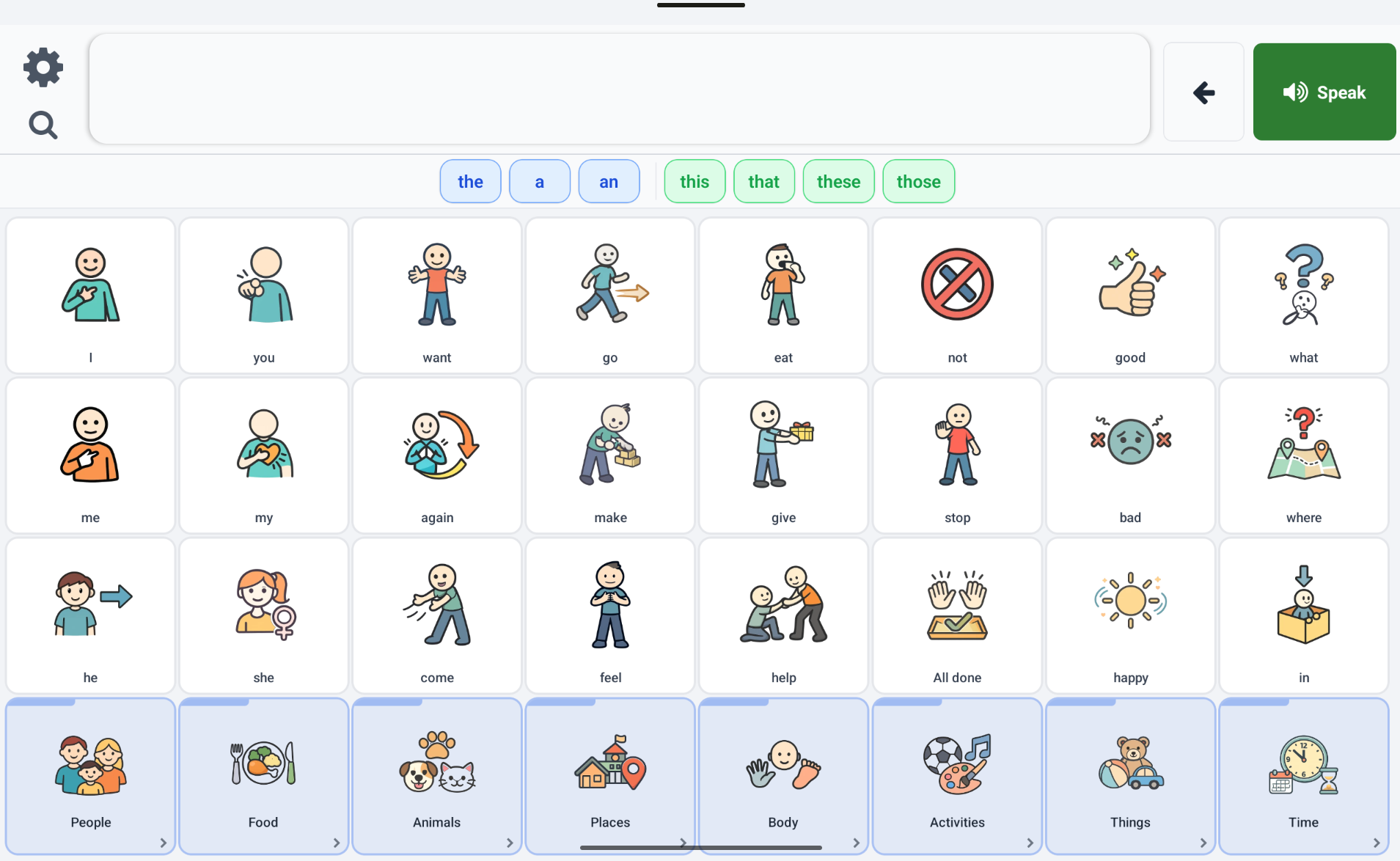
- Symbol Grid with configurable sizes (6-12 columns) and category organisation
- Text Input mode with live character counter and bigram-based word predictions
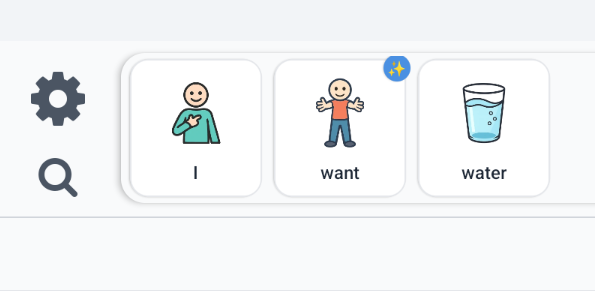
- Message Builder strip showing selected symbols in natural speaking order
- Long-press verb or noun pictograms to pick a specific inflected form before speaking
- Message sharing to other apps with a single tap
- Word Finder for guided step-by-step symbol search through complex vocabularies
Voice Output
Voice and Speech
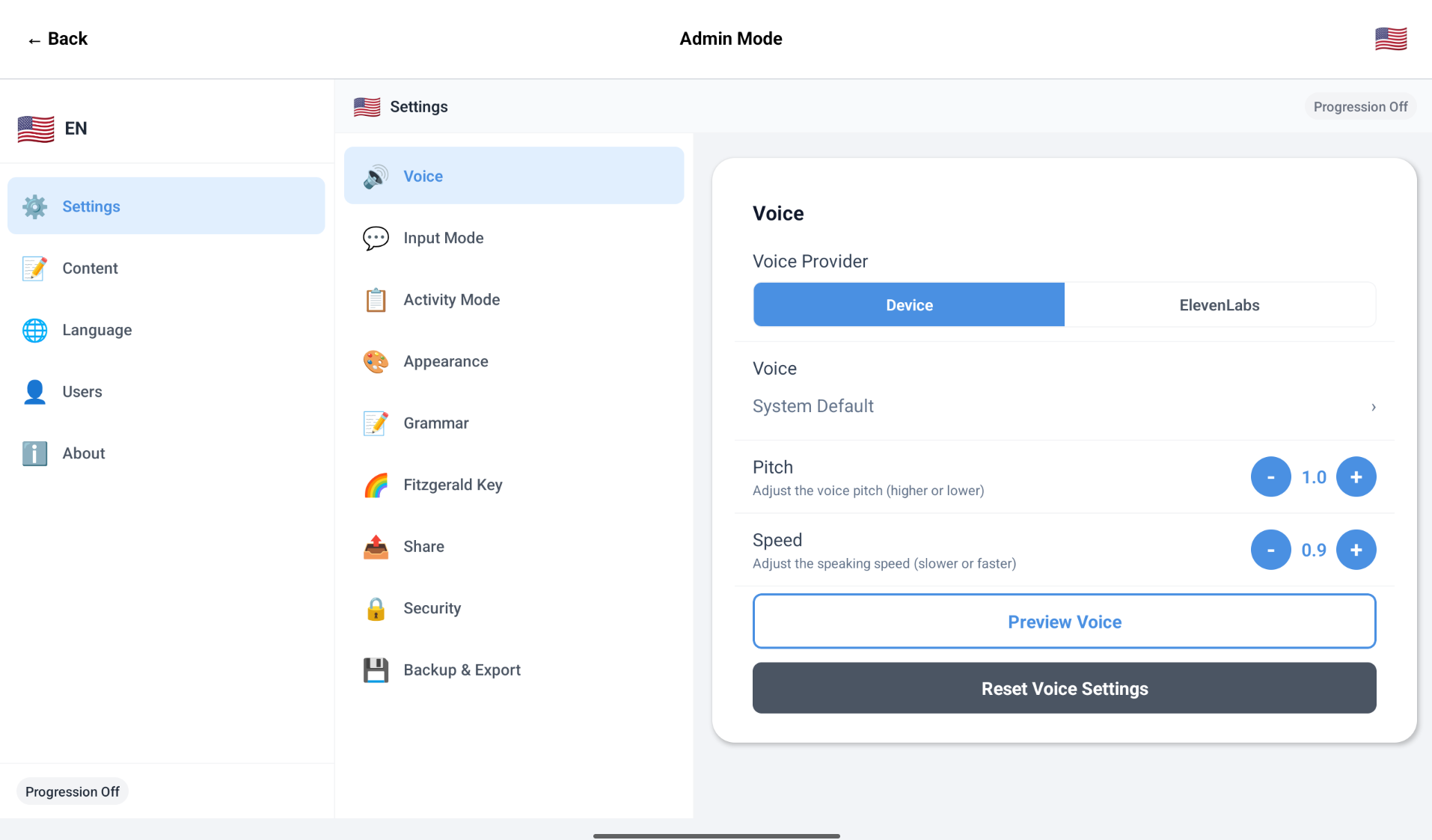
Hear your words spoken aloud with your choice of voice - from built-in device speech to premium AI voices.
- Dual TTS providers: built-in device voice (works fully offline) and ElevenLabs premium AI voices
- Configurable pitch and speed controls for personalised output
- Smart voice caching reduces API calls and makes repeat phrases instant
- Automatic fallback to device voice when offline - communication never stops
- Voice preview so you can hear each voice before committing
- Per-language voice selection carries over when switching languages
Language Intelligence
Smart Grammar Engine
Let the app handle the grammar. Loquor AAC automatically builds grammatically correct sentences from simple symbol selections.
- Automatic verb conjugation for Dutch, English, French, and Spanish - all 100% offline
- Perfect tense, continuous aspect (-ing), modal verbs, and reflexive forms handled automatically
- Multi-clause sentences: tap two subjects in a row to build compound sentences correctly
- French-specific: elision (je -> j'), interrogative inversion with euphonic -t-, noun phrase gender agreement
- Grammar Bar with colour-coded chips: articles (blue), demonstratives (green), possessives (orange), prepositions (purple)
- Gender-aware dimming fades incompatible grammar options based on noun gender
- Noun pluralisation via long-press - pick singular or plural form before adding to the message
- Three assist levels: Simple (beginner), Standard (everyday), Expert (therapist/advanced)
- Fitzgerald Key colour-codes words by grammar category for visual learning
Learning and Growth
Progressive Vocabulary
A structured vocabulary that grows with the user - from first words to fluent communication, with motor memory always protected.
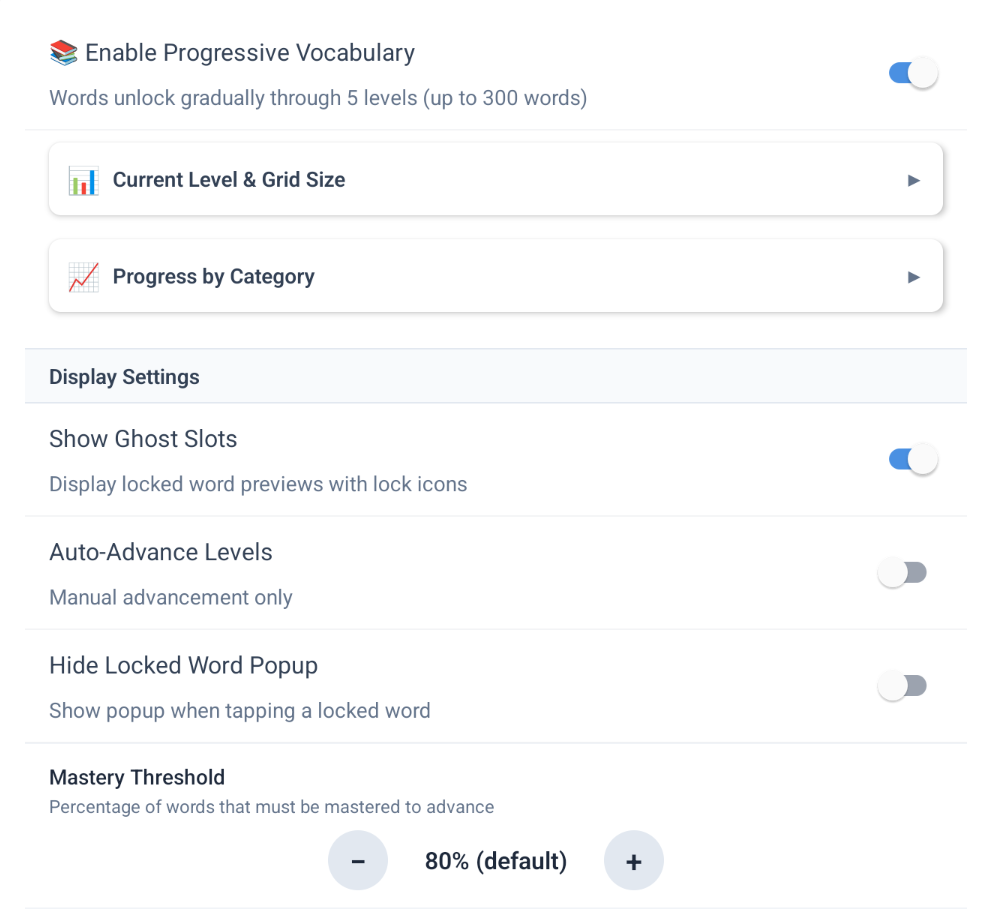
- 6-level vocabulary learning - words unlock as the user demonstrates consistent use
- Motor memory protection: word positions never change once introduced, so muscle memory carries forward
- Per-level evaluation: only words introduced at the current level count toward advancement thresholds
- Ghost slots show locked word positions as non-interactive previews - students see what's coming
- Floating Readiness Button (FAB) shows live percentage progress toward the next level
- Readiness Check Modal with usage stats, practice recommendations, and blockers
- Expert Vocabulary toggle unlocks Level 6 words at admin discretion
- Adjustable mastery threshold (50-100%) and min-uses-per-word settings for each learner
- Per-language progression - each language tracks independently with its own history
- Word Finder shows locked words as unavailable, with 'Available at Level X' labels
Flexible Layouts
Grid Modes
Three distinct grid modes to match every communication style, context, and cognitive need.
- Standard Symbol Grid - traditional rows and columns organised by categories with motor zone preservation
- Activity Boards - themed collections for specific contexts (meals, bathroom, social) with custom backgrounds and icons
- Core-Fringe Grid - pinned high-frequency core words remain stable while fringe pages change by context
- Multi-page navigation in Core-Fringe with automatic Home and Back buttons on sub-pages
- In-grid editing on both Activity Boards and Core-Fringe: drag, add, and remove symbols directly
- Page tree management: add sub-pages and they instantly appear as folder tiles on the grid
Full Control
Customisation and Admin
Caregivers get powerful tools to tailor the experience, while keeping it safe from accidental changes.
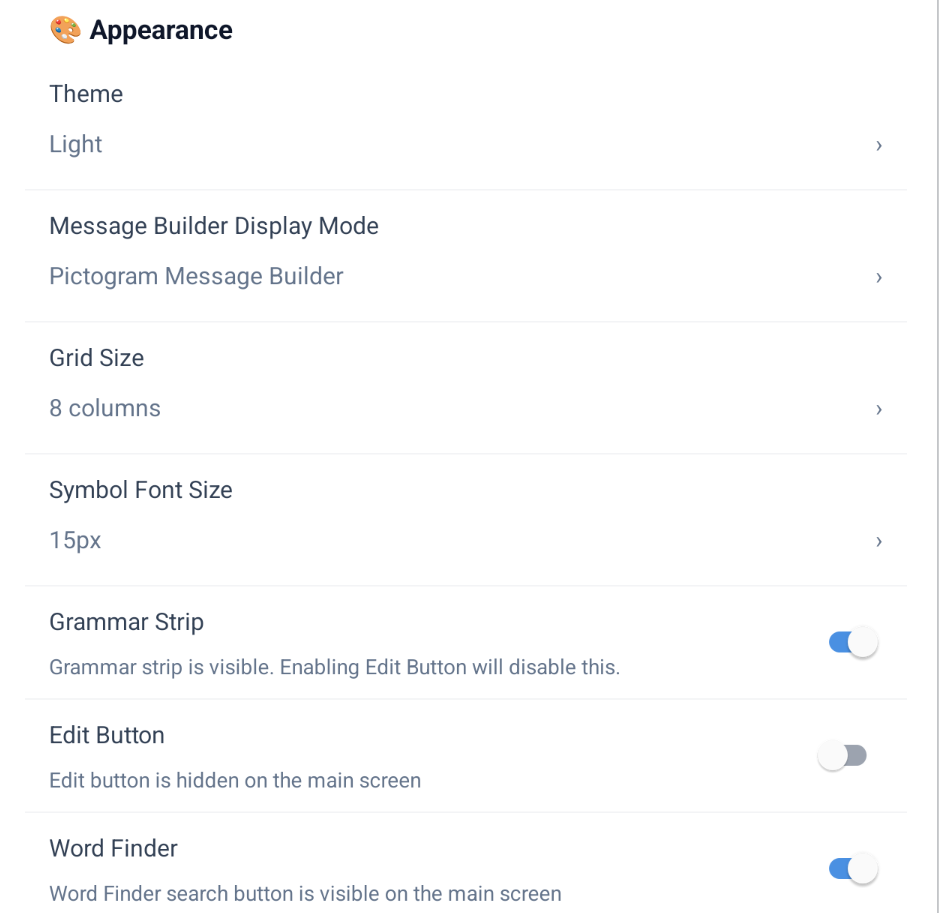
- 4 visual themes: Light, Dark, High Contrast, and Child-Friendly
- PIN-protected admin panel (4-6 digit) prevents accidental changes
- Full management for symbols, phrases, abbreviations, categories, and irregular word forms
- Vocabulary Packs - installable bundles with concepts, translations, grammar data, and boards
- Backup and restore with embedded images in a portable .vbaac format
- 12-step guided setup wizard gets new users communicating in minutes
- Pronoun images - replace default emoji with photos of real people in the user's life
- Adaptive layout: phone portrait tabs, phone landscape sidebar, tablet sidebar with context bar
For Everyone
Multi-User and Accessibility
Share one device across multiple communicators, each with their own fully personalised experience.
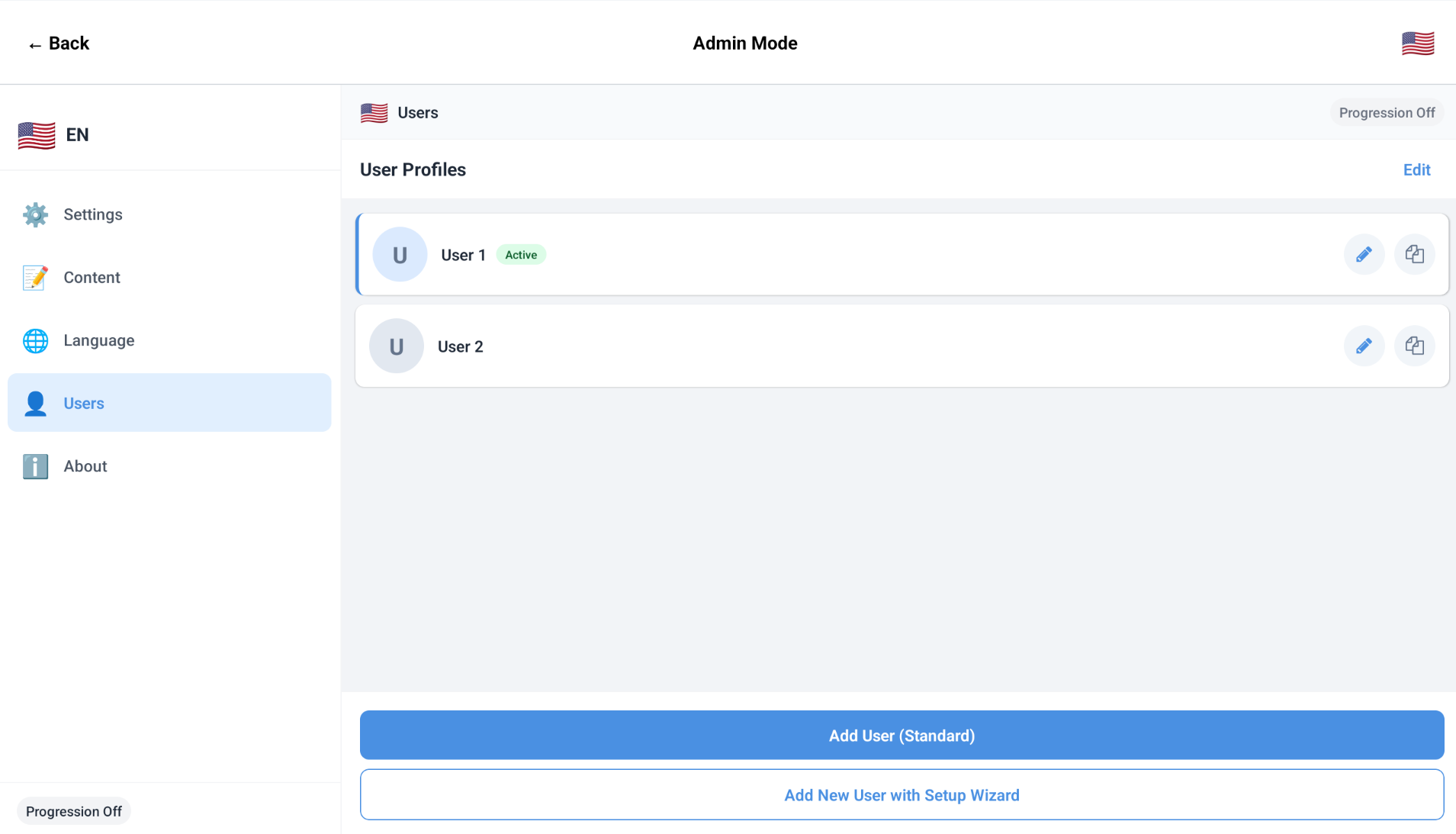
- Completely isolated user profiles - separate database, settings, and vocabulary per user
- Profile duplication clones all data and settings for a new user instantly
- Responsive layouts: phone portrait tabs, tablet landscape sidebar, phone landscape compact sidebar
- Accessibility-first design with large tap targets and high-contrast theme support
- Custom user avatars with photos or emoji for quick identification
- Per-user input mode: Symbol Grid or Text-only, each with its own settings
See It in Action
Download the app and discover how Loquor AAC can transform communication.
Try Loquor AAC